You don’t need expensive software to stay organized, study better, or look professional when applying for jobs. In 2026, there are many excellent free tools that can help you work smarter.
This guide covers the most useful free digital tools for students and job seekers, grouped by purpose so you can quickly find what you need.
### 1. Writing and Document Tools
**Google Docs**
Still one of the best free options. Great for essays, reports, CVs, and cover letters. Real-time collaboration makes group work easier.
**Grammarly (Free version)**
Helps catch grammar mistakes, spelling errors, and awkward sentences. Very useful when writing emails, applications, or assignments.
**Notion (Free plan)**
Excellent for organizing notes, assignment trackers, job application lists, and personal dashboards. It can feel a bit empty at first, but once you set up a simple system, it becomes powerful.
**Tip:** Use Google Docs for formal documents and Notion for personal organization.
### 2. Spreadsheets and Organization
**Google Sheets**
Perfect for tracking assignments, budgets, job applications, or study schedules. Learning a few basic formulas (SUM, AVERAGE, COUNT) is enough for most needs.
**Airtable (Free plan)**
Looks like a mix between a spreadsheet and a database. Useful if you want a cleaner way to track job applications or projects.
### 3. Note-Taking and Study Tools
**Google Keep**
Simple and fast. Great for quick notes, checklists, and voice notes. Syncs across your phone and computer.
**Notion** (again)
Many students use it as their main note-taking system because you can create pages for each subject or course.
**Anki or Quizlet (Free versions)**
Helpful for memorizing information through flashcards. Especially useful for exams.
**Pomofocus or similar Pomodoro timers**
Free browser-based timers that help you focus using the Pomodoro method (25 minutes work + short breaks).
### 4. Design and Presentation Tools
**Canva (Free plan)**
One of the most useful free tools available. You can create:
- Clean CVs and resumes
- Presentation slides
- Social media graphics
- Simple posters or certificates
The free version is more than enough for most students and job seekers.
**Google slides**
Best when you need something simple and easy to share. Works well for school presentations.
### 5. Communication and Meetings
**Gmail**
Still the standard for professional communication. Learn to write clear subject lines and organized messages.
**Google Meet**
Free video calls with solid quality. Useful for online classes, group projects, and interviews.
**Zoom (Free plan)**
Also widely used. The free version has some time limits on group calls, but it remains popular for interviews and meetings.
### 6. Job Search and Career Tools
**LinkedIn**
Not completely free in all features, but the core profile and job search tools are free and very valuable. A complete profile helps a lot.
**Google Jobs**
A simple way to search for job listings from different sites in one place.
**Teal or similar free job trackers**
Some free tools help you organize job applications, interviews, and follow-ups in one dashboard.
**Resume.io or Canva Resume templates**
Helpful when you want a clean, modern CV without starting from a blank page.
### 7. AI Tools That Actually Help
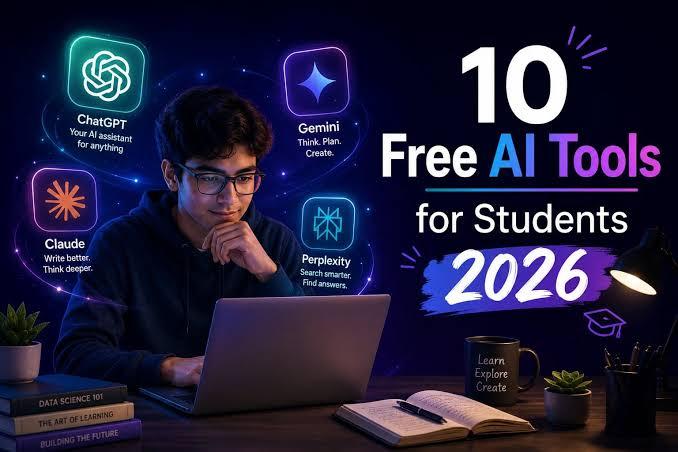
**ChatGPT (Free version)**
Useful for:
- Brainstorming ideas
- Explaining difficult topics in simple language
- Improving your writing
- Practicing interview questions
**Important:** Use it as a helper, not a replacement for your own work. Copying full AI answers for assignments or applications can cause problems.
**Other useful AI tools:**
- Free versions of writing assistants
- AI image tools (when you need simple visuals)
- Tools that summarize long articles or YouTube videos
### 8. File Storage and Backup
**Google Drive**
15GB free storage is enough for most students if you organize files properly and avoid storing large videos.
**OneDrive**
Also a strong free option, especially if you use Microsoft tools.
**Advice:** Keep important documents (CV, certificates, transcripts) in a clearly named folder in the cloud so you can access them anytime.
### 9. Password and Security Tools
**Bitwarden (Free plan)**
One of the best free password managers. It helps you create strong passwords and store them safely.
**Google Password Manager**
Already built into Chrome and Android. Better than using the same password everywhere.
Strong password habits protect your school accounts, email, and job application portals.
### Quick Recommended Toolkit for Most People
If you want a simple starting set, use these:
| Purpose | Recommended Free Tool |
|----------------------|----------------------------|
| Writing | Google Docs + Grammarly |
| Organization | Google Drive + Notion |
| Spreadsheets | Google Sheets |
| Design | Canva |
| Notes | Google Keep or Notion |
| Video calls | Google Meet or Zoom |
| Job applications | LinkedIn + Sheets tracker |
| AI help | ChatGPT (free) |
| Passwords | Bitwarden or Google |
This combination covers almost everything you need without paying.
### How to Avoid Tool Overload
Many people install too many apps and then use none of them properly. A better approach:
1. Choose one tool for each main purpose
2. Learn the basics well
3. Only add a new tool when you clearly need it
Consistency matters more than having the “perfect” app.
### Final Thoughts
The best digital tools are the ones you actually use. You don’t need the most advanced software — you need reliable free tools that help you stay organized, communicate clearly, and present yourself professionally.
Start with Google Workspace (Docs, Sheets, Drive, Gmail) and Canva. Add Notion if you want better organization, and use ChatGPT carefully as a support tool. These alone will cover most of your needs as a student or job seeker in 2026.
Master a few tools well instead of collecting many apps you barely open. That’s the smarter way to build useful digital skills.

Leave a comment
Your email address will not be published. Required fields are marked *