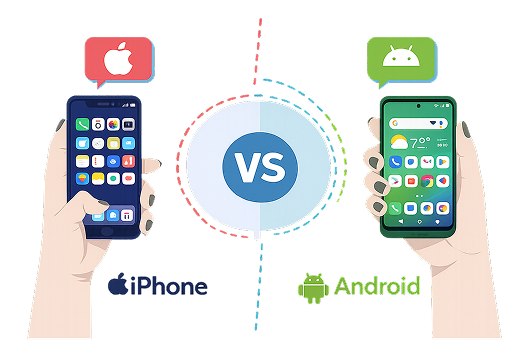
Your phone knows more about you than most people in your life. It tracks your location, stores your messages, knows which apps you use, and often shares data with companies you’ve never heard of. In 2026, protecting your privacy on Android and iPhone is more important than ever — and also more possible if you know what to do.
This guide gives you clear, practical steps you can take today on both platforms. You don’t need to be technical. Just follow the sections that apply to your phone.
### 1. Control App Permissions
Apps often ask for more access than they need. Location, microphone, camera, contacts, and photos are the most sensitive.
**On Android:**
- Go to **Settings → Privacy → Permission manager**
- Review each permission (Location, Camera, Microphone, etc.)
- Change unnecessary permissions to “Don’t allow” or “Only while using the app”
**On iPhone:**
- Go to **Settings → Privacy & Security**
- Tap each category (Location Services, Microphone, Camera, Photos, etc.)
- Turn off access for apps that don’t truly need it
**Good rule:** If an app doesn’t need a permission to work properly, turn it off.
### 2. Limit Location Tracking
Location data is one of the most valuable (and sensitive) pieces of information your phone collects.
**Android:**
- Settings → Location
- Turn on location only when needed
- Tap “App location permissions” and set most apps to “Allow only while using the app”
- Disable “Google Location Accuracy” if you want stricter control
**iPhone:**
- Settings → Privacy & Security → Location Services
- Set most apps to “While Using the App” or “Never”
- Turn off “Significant Locations” (Settings → Privacy & Security → Location Services → System Services)
Also consider disabling location history in your Google or Apple account.
### 3. Review and Restrict Ad Tracking
Both Google and Apple make money from personalized ads. You can reduce this.
**Android:**
- Settings → Google → Ads
- Turn on “Opt out of Ads Personalization”
- Reset your Advertising ID
**iPhone:**
- Settings → Privacy & Security → Tracking
- Turn off “Allow Apps to Request to Track”
- Settings → Privacy & Security → Apple Advertising → turn off Personalized Ads
These steps won’t eliminate all ads, but they make them less targeted.
### 4. Use Stronger Lock Screen and Biometric Security
A locked phone is your first line of defense.
- Use a strong PIN or password (avoid simple patterns or 4-digit codes)
- Enable fingerprint or face unlock
- Set the phone to lock quickly (30 seconds or 1 minute)
- On iPhone, enable Stolen Device Protection (available on newer iOS versions)
- On Android, use the strongest available screen lock option
### 5. Check What Data Your Accounts Are Collecting
Your Google or Apple account often stores more than the phone itself.
**Google Account (Android users):**
- Go to myactivity.google.com
- Review and delete location, search, and app activity
- Turn off unnecessary activity tracking
**Apple ID (iPhone users):**
- Settings → [Your Name] → Media & Purchases / iCloud
- Review apps using iCloud
- Check Settings → Privacy & Security → Analytics & Improvements and turn off sharing if desired
### 6. Be Careful with Free Apps and Permissions
Many free apps make money by collecting and sharing data.
Before installing:
- Read the permission list
- Check the developer and reviews
- Prefer well-known apps when dealing with sensitive information (banking, health, messages)
After installing, immediately review and restrict permissions.
### 7. Keep Your System and Apps Updated
Updates often include important privacy and security fixes.
- Turn on automatic updates for the operating system
- Update apps regularly
- Remove apps you no longer use
Old, abandoned apps are a common privacy risk.
### 8. Extra Steps for Higher Privacy
If you want stronger protection:
- Use a privacy-focused browser (Brave, Firefox Focus, or DuckDuckGo)
- Consider a reputable VPN on public Wi-Fi
- Avoid logging into apps with your main Google or Apple account when possible
- On Android, look at tools like permission controllers or privacy dashboards
- On iPhone, use App Tracking Transparency strictly and review the App Privacy Report
### Quick Privacy Checklist
- [ ] Reviewed app permissions
- [ ] Limited location access
- [ ] Turned off ad personalization / tracking requests
- [ ] Strong lock screen enabled
- [ ] Checked Google/Apple activity settings
- [ ] Removed unused apps
- [ ] System and apps are up to date
### Final Thoughts
Perfect privacy on a modern smartphone is nearly impossible if you want full convenience. But you can significantly reduce how much data is collected and shared by making a few deliberate choices.
The biggest improvements usually come from:
1. Controlling permissions
2. Limiting location tracking
3. Turning off personalized ad tracking
4. Keeping your phone updated
You don’t need to do everything at once. Start with permissions and location — those two changes alone make a noticeable difference.
Your phone should work for you, not the other way around.

Leave a comment
Your email address will not be published. Required fields are marked *