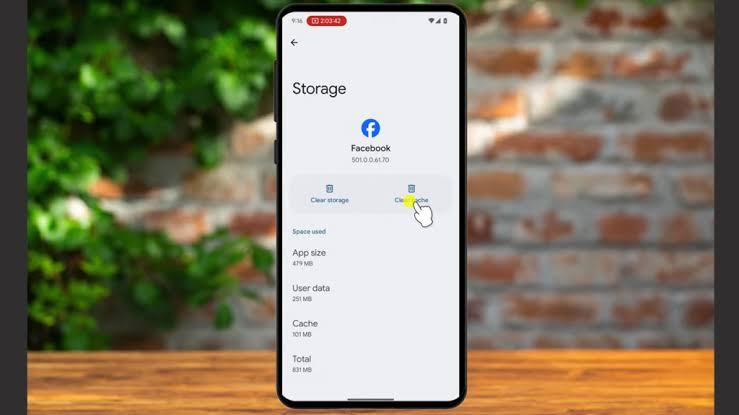
Technology is supposed to make life easier.
But sometimes, the opposite happens.
You have dozens of notifications coming in, hundreds of photos taking up storage, passwords you can barely remember, applications you no longer use and files scattered across your phone or computer.
The good news is that you don't need to be a technology expert to get things under control.
A few simple habits can make a surprisingly big difference.
1. Stop Installing Apps You Don't Actually Need
It's easy to download an application because someone recommended it or because you saw an interesting video about it.
The problem comes later.
You end up with dozens of applications sitting on your phone that you haven't opened in months.
Apart from taking up storage, some applications may continue using resources in the background.
Take a few minutes every month to look through your installed applications.
If you haven't used something for months and don't expect to need it, consider uninstalling it.
You can always reinstall an app later if you genuinely need it.
2. Keep Your Phone and Computer Updated
Software updates can sometimes be annoying.
You might see a notification asking you to update when you're busy, and your first reaction may be to dismiss it.
But updates aren't only about getting new features.
They can also include security fixes, bug fixes and improvements to compatibility and performance.
That doesn't mean you should blindly install every piece of software you find online.
Stick to updates offered through your device's normal settings or the application's official source.
And before a major update, especially on a computer, make sure important files are backed up.
3. Back Up Your Important Files
This is one of those things people often remember only after something goes wrong.
Your phone can get damaged.
A laptop can stop working.
A storage drive can fail.
Files can accidentally be deleted.
If your photographs, documents or business files exist in only one location, they're vulnerable.
For important files, consider keeping another copy using a suitable backup method.
For example, you might keep important documents on your computer and also back them up to cloud storage or an external drive.
The idea is simple:
Don't let one broken device become the only reason you lose years of information.
4. Use Strong, Different Passwords
Using the same password everywhere may seem convenient.
It can also create a serious problem.
Imagine that your password for one website is exposed.
If you've used that same password for your email, social media and other accounts, an attacker could potentially try it elsewhere.
Use different passwords for important accounts.
Your email account deserves particular attention because it may be connected to password-reset systems for many of your other accounts.
If remembering many passwords becomes difficult, consider using a reputable password manager.
5. Turn On Two-Factor Authentication
A password isn't always enough.
Two-factor authentication, often called 2FA, adds another verification step when you sign in.
Depending on the service, that second step might involve an authenticator application, security key or another supported method.
Even if someone discovers your password, they may still be unable to access the account without the additional verification.
Enable 2FA on important accounts whenever the service supports it.
Start with:
Banking and financial accounts
Social media
Cloud storage
Business accounts
It's one of the simplest security improvements you can make.
6. Be Careful With Links and Attachments
Not every message deserves your attention.
You might receive an email saying you've won something.
Another message might claim your account will be closed unless you immediately click a link.
Someone may send you an unexpected attachment.
Don't let urgency pressure you into making a quick decision.
Instead, stop and ask:
Was I expecting this message?
Do I recognize the sender?
Does the link actually lead to the company's official website?
If a message claims there's a problem with your bank account, for example, don't necessarily use the link inside the message.
Open your bank's official app or website yourself and check.
A few seconds of caution can save you from a much bigger problem.
7. Organize Your Files
A messy digital life can become surprisingly stressful.
Imagine looking for an important document and finding 300 files called things like:
document1
final
final2
new final
new final latest
We've all seen something like this.
Create folders that make sense.
For example:
Documents
→ Business
→ Personal
→ Receipts
→ Projects
You don't need a complicated system.
Just make it easy for your future self to find something.
And when naming important files, use descriptive names.
Instead of:
IMG_8492.jpg
you might use:
Alvonbot_Project_Proposal_August_2026.pdf
That small change can save you a lot of time later.
Technology Doesn't Have to Be Complicated
You don't need to know how every piece of technology works to use it responsibly.
In fact, many of the most useful habits are extremely simple.
Update your devices.
Back up important information.
Use strong passwords.
Enable additional security.
Remove applications you don't need.
Be careful with suspicious messages.
Keep your files organized.
None of these requires advanced technical knowledge.
They simply require consistency.

Final Thoughts
We rely on technology for almost everything now.
Our photographs, conversations, businesses, education, work and important documents can all exist digitally.
That makes good digital habits more important than ever.
You don't have to completely reorganize your digital life in one afternoon.
Start with one thing.
Back up your important files.
Then review your passwords.
Then clean up your applications.
Small improvements add up.
The best technology isn't always the newest device. Sometimes it's simply knowing how to use the technology you already have properly.
This article is part of Alvonbot.com's Technology & Digital Skills series.

Leave a comment
Your email address will not be published. Required fields are marked *