How to Stay Safe Online: A Complete Guide to Protecting Your Accounts, Money and Personal Information
Introduction
The internet has made life easier in ways that would have been difficult to imagine a few decades ago.
You can send money without visiting a bank, talk to someone on another continent in seconds, buy almost anything from your phone, attend classes online, run a business from home and store thousands of photos and documents without keeping a physical file cabinet.
But there is another side to this convenience.
The more we depend on the internet, the more valuable our online accounts and personal information become to criminals.
A person's email account might contain private conversations, password-reset links and business information. A social media account may have years of personal memories and a large audience. A banking account can provide direct access to money. Even something as simple as a phone number can sometimes be used as part of a larger scam.
The good news is that staying safer online doesn't require you to be a cybersecurity expert.
You don't need to understand how hackers write malware or how encryption algorithms work before you can protect yourself.
In many cases, a few good habits can make a significant difference.
This guide explains some of the most practical steps you can take to protect your accounts, devices, money and personal information.
---
1. Start With Your Most Important Account: Email
Many people think their social media account is their most important online account.
Often, it isn't.
Your email account may actually be the key to many of your other accounts.
Think about what happens when you forget a password.
A website may send a password-reset link to your email.
If someone gains access to your email, they may potentially be able to request password resets for other services connected to that address.
That is why your primary email account deserves strong protection.
What should you do?
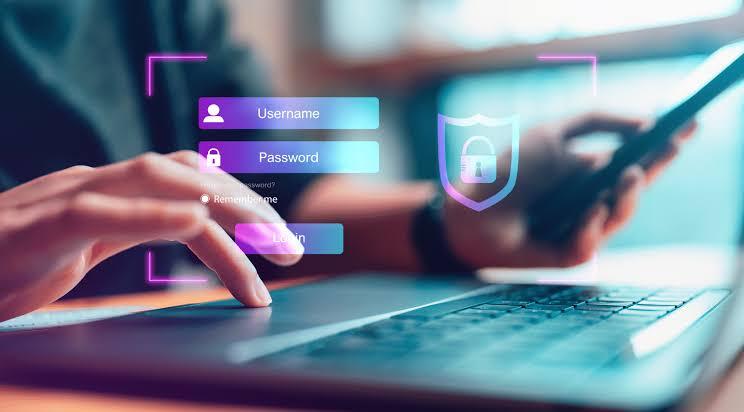
Use a strong, unique password for your email account and enable multi-factor authentication if the service offers it.
Also check the recovery options associated with the account.
Make sure your recovery email address and phone number are still accessible to you.
If you receive an unexpected notification that someone has attempted to access your email, don't ignore it.
Investigate it immediately.
---
2. Stop Using the Same Password Everywhere
This is one of the most common security mistakes.
Imagine that you use the same password for:
- Your email
- Your bank-related services
- Your business website
- An online shopping account
Now imagine that one of those websites suffers a data breach and your password becomes exposed.
If you use the same password everywhere, the attacker may try those credentials on other services.
This is sometimes referred to as credential stuffing.
The simple solution is to use different passwords for important accounts.
You don't need to memorize dozens of complicated passwords yourself.
A reputable password manager can help you generate and store unique passwords.
---
3. Make Your Passwords Difficult to Guess
A strong password shouldn't be something another person can easily associate with you.
Avoid passwords based on information such as:
- Your name
- Your birthday
- Your child's name
- Your phone number
- Your business name
- “123456”
- “password”
- Common words combined with simple numbers
A longer password or passphrase can be easier to remember while still being difficult to guess.
For example, instead of creating a short password based on a person's name, you could use a unique passphrase generated specifically for that account.
The important thing is that the password should be unique and difficult to predict.
---
4. Turn On Multi-Factor Authentication
A password is only one layer of security.
Multi-factor authentication, commonly called MFA, adds another verification step.
Depending on the service, this might involve:
- An authenticator application
- A security key
- A verification code
- Another approved authentication method
The idea is simple.
Even if someone somehow obtains your password, they may still need the second authentication factor to access the account.
For important accounts, especially email, financial services and business systems, MFA is one of the strongest practical security improvements you can make.
---
5. Learn How Phishing Works
You don't have to be a technical expert to fall for a phishing attack.
Sometimes the message looks completely legitimate.
You might receive an email saying:
«"Your account will be suspended today."»
Another message might say:
«"You have received a payment. Click here to claim it."»
Or:
«"Your package could not be delivered. Confirm your information."»
The goal is usually to create urgency.
The attacker wants you to react before you have time to think.
Before clicking a link, stop and ask:
Was I expecting this message?
Does the request make sense?
Is the sender actually who they claim to be?
Where does the link really go?
Are they asking for a password, payment or verification code?
A message demanding immediate action deserves extra caution.
---
6. Be Careful With Links
One of the easiest mistakes to make is clicking a link without checking where it leads.
A link can be disguised using text that makes it appear trustworthy.
For example, a message might appear to come from a familiar company but send you to a completely unrelated website.
If you're uncertain, don't use the link in the message.
Instead, open the company's official website or app yourself and check your account there.
This small habit can prevent many unnecessary problems.
---
7. Never Share Verification Codes
Treat verification codes as private information.
If you receive a code by SMS, email or an authentication application and someone suddenly asks you to send that code to them, be suspicious.
A scammer may already know your username or phone number and simply need the verification code to complete an account takeover.
A genuine support representative should not need you to casually hand over a private authentication code.
The safest rule is simple:
Don't share login verification codes with other people.
---
8. Be Careful With Social Media
Social media can reveal more information about you than you realize.
A person looking through your public profile might discover:
- Your full name
- Where you work
- Your birthday
- Family members
- Where you live
- Places you frequently visit
- Your daily routine
- Your business activities
None of these pieces of information may seem dangerous individually.
But when combined, they can provide a surprisingly detailed picture of your life.
Before posting something publicly, ask yourself:
Would I be comfortable with a complete stranger knowing this?
If the answer is no, consider keeping it private.
---
9. Don't Post Your Location in Real Time
Imagine posting:
«"I'm currently at this hotel and I'll be here until Sunday."»
That may seem harmless.
But you've just told strangers where you are and potentially how long your home may be empty.
For personal safety, consider posting certain travel photos after leaving the location rather than announcing your movements in real time.
This is particularly important if your social media account is public.
---
10. Keep Your Phone Updated
Software updates aren't only about getting new features.
They can also contain security fixes.
Your phone's operating system, browser and applications may occasionally have vulnerabilities that developers discover after release.
When updates become available, install them from legitimate sources.
Avoid downloading operating-system updates or applications from random websites simply because someone sent you a link.
---
11. Be Careful About What You Install
A malicious application can create serious problems.
Before installing an application, consider:
- Who published it?
- Does it have a legitimate website?
- What permissions does it request?
- Does it have a reasonable explanation for those permissions?
- Are reviews suspicious or repetitive?
- Did you download it from an official app store?
Be especially careful when an unknown person sends you an APK or executable file and asks you to install it.
Don't install software simply because someone says:
«"Trust me."»
---
12. Review App Permissions
Your phone may ask whether an application can access things such as:
- Your camera
- Microphone
- Contacts
- Location
- Photos
- Files
Some permissions may be necessary.
For example, a video-calling application may legitimately need microphone and camera access.
But if a simple application requests permissions that don't appear related to its purpose, stop and investigate.
Periodically review permissions for applications already installed on your phone.
You may discover that some apps have access they no longer need.
---
13. Be Careful When Using Public Wi-Fi
Public Wi-Fi can be convenient at airports, hotels, cafés and other locations.
But you shouldn't automatically assume that every network you see is legitimate or secure.
An attacker could potentially create a network with a name that resembles a legitimate hotspot.
When using public networks:
- Avoid accessing sensitive services when possible
- Don't ignore browser security warnings
- Use HTTPS websites
- Keep your device updated
- Avoid downloading unknown files
- Consider using a trusted VPN when appropriate
Most importantly, don't treat a public Wi-Fi network as though it were your private home network.
---
14. Protect Your Financial Information
Online financial scams are becoming increasingly sophisticated.
You may encounter fake:
- Investment opportunities
- Job offers
- Loan services
- Giveaways
- Online stores
- Customer-support accounts
- Cryptocurrency opportunities
- Payment requests
A common warning sign is pressure.
Someone may tell you:
«"Send the money now or you'll lose the opportunity."»
That pressure is intentional.
Legitimate financial decisions usually deserve time for verification.
Before sending money, verify who you're dealing with and whether the offer makes sense.
---
15. Be Suspicious of "Too Good to Be True" Offers
Suppose someone contacts you and says you've won a large amount of money in a competition you don't remember entering.
They then ask you to pay a small "processing fee" before receiving the prize.
That's a major warning sign.
Another example is an online investment opportunity promising unusually high returns with little or no risk.
Be careful.
A high-pressure offer combined with guaranteed profits, secrecy or an urgent payment request deserves serious scrutiny.
---
16. Don't Let Fear Make Your Decisions for You
Scammers frequently use fear.
They might claim:
«"Your bank account is about to be closed."»
Or:
«"Your computer has been infected."»
Or:
«"The police have issued a warrant."»
The goal is to make you panic.
When you panic, you're more likely to follow instructions without checking them.
If a message scares you, take a step back.
Don't immediately click.
Don't immediately transfer money.
Don't immediately provide personal information.
Verify the claim independently.
---
17. Back Up Important Files
Security isn't only about preventing unauthorized access.
You should also prepare for the possibility that something goes wrong.
Your phone could be lost.
Your laptop could stop working.
A file could become corrupted.
Ransomware or another type of malware could make files inaccessible.
Important information should therefore have appropriate backups.
Consider backing up things such as:
- Important documents
- Business files
- Photos
- Videos
- Financial records
- Project files
For particularly important information, maintaining more than one backup location can provide additional protection.
---
18. Protect Your Business Accounts
If you own or manage a business, cybersecurity becomes even more important.
A compromised business email account can potentially expose:
- Customer information
- Invoices
- Business conversations
- Password-reset messages
- Financial information
- Company documents
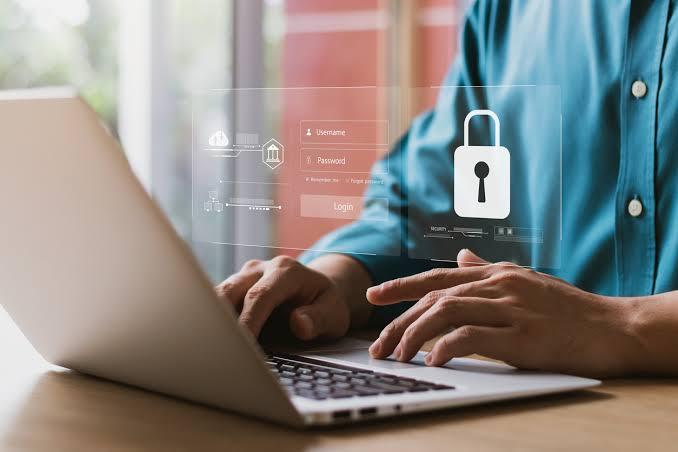
Business accounts should use strong passwords and multi-factor authentication.
You should also avoid giving every employee administrator-level access to every system.
People should generally have the level of access they actually need to perform their responsibilities.
---
19. Don't Ignore Browser Warnings
Modern browsers can warn you when they detect potentially dangerous websites or downloads.
Don't automatically bypass these warnings.
If your browser tells you that a website may be unsafe, take the warning seriously.
Ask yourself why you were visiting the website in the first place.
If someone sent you the link, verify the sender and destination.
A few seconds of caution can be worth far more than the time and money required to recover from an account compromise.
---
20. Learn to Recognize Fake Customer Support
Another growing problem is fake customer-support accounts.
Imagine that you publicly complain:
«"I'm having a problem with my account."»
Someone then replies:
«"Send me a private message. I'm from support."»
They may direct you to a fake website or request login information.
Before trusting a support account, verify it through the company's official website or application.
Don't assume that someone is legitimate simply because they use a familiar company logo.
---
21. Don't Give Strangers Remote Access to Your Device
Be extremely careful when someone asks you to install remote-access software because they claim to be fixing your computer.
If you didn't independently verify the person or organization, don't give them control of your device.
Remote access can potentially allow another person to see or interact with your files, applications and other information.
If you genuinely need technical support, start from the company's official support channels.
---
22. Check Your Accounts Regularly
Security isn't something you do once.
Make it a habit.
Every few weeks or months, review important accounts and look for:
- Unknown login sessions
- Unfamiliar devices
- Unexpected password-reset messages
- New recovery information
- Suspicious transactions
- Unknown applications connected to your account
If you see something you don't recognize, investigate it.
Many services provide security dashboards showing recent activity and connected devices.
---
23. Create a Personal Security Routine
You don't need to spend hours every week thinking about cybersecurity.
A simple routine can help.
Once a month
Review important account activity.
Every few months
Review app permissions and connected third-party applications.
Whenever an update is available
Update your operating system and important applications.
Whenever you receive a suspicious message
Stop and verify before clicking.
Whenever you create a new important account
Use a unique password and enable MFA where available.
Small habits are easier to maintain than complicated security routines.
---
What Should You Do If You Think Your Account Has Been Hacked?
Don't panic.
Start by securing the account.
Step 1: Change the password
Use a new password that you haven't used elsewhere.
Step 2: Enable MFA
If it isn't already enabled, turn it on.
Step 3: Review active sessions
Look for unfamiliar devices or locations.
Step 4: Check account recovery information
Make sure nobody has changed your recovery email or phone number.
Step 5: Check connected applications
Remove anything you don't recognize.
Step 6: Check other accounts
If you reused the compromised password elsewhere, change those passwords too.
Step 7: Contact the official service
Use the company's official support or account-recovery process.
If money or financial information may have been compromised, contact the relevant financial institution promptly.
---
A Simple Online Safety Checklist
Save this checklist and review it occasionally:
- [ ] My important accounts have unique passwords.
- [ ] I use multi-factor authentication where available.
- [ ] My email account is strongly protected.
- [ ] I don't share verification codes.
- [ ] I check links before clicking them.
- [ ] I don't install unknown applications.
- [ ] My phone and computer are updated.
- [ ] I review app permissions.
- [ ] I avoid sharing sensitive information publicly.
- [ ] I maintain backups of important files.
- [ ] I monitor important financial accounts.
- [ ] I verify unexpected requests for money or personal information.
- [ ] I know how to recover my most important accounts.
You don't have to complete everything in one day.
Start with the most important items, especially your email, passwords and multi-factor authentication.
---
Final Thoughts
Cybersecurity can sound complicated because the technology behind it is complicated.
But protecting yourself online doesn't always require advanced technical knowledge.
In many cases, the basics matter enormously.
Use unique passwords.
Turn on multi-factor authentication.
Think before clicking.
Keep your devices updated.
Protect your personal information.
Back up important files.
And, perhaps most importantly, don't allow urgency or fear to make your decisions for you.
The internet will continue to become a bigger part of our everyday lives. The goal isn't to become afraid of using it.
The goal is to become a smarter and more careful internet user.
A few extra seconds spent verifying a message today can potentially save you hours, money and stress later.

Leave a comment
Your email address will not be published. Required fields are marked *