Have you ever charged your phone to 100% in the morning, only to discover that the battery is already close to empty a few hours later?
Fast battery drain is one of the most common problems smartphone users experience. Sometimes the cause is obvious—you've been watching videos or using your camera for hours. Other times, the battery can disappear surprisingly quickly even when you're barely using the phone.
The good news is that fast battery drain doesn't always mean your battery is damaged.
A power-hungry app, weak network signal, high screen brightness, background activity, an outdated app, or an aging battery can all contribute to the problem.
This guide explains 9 common causes of battery drain and what you can do about each one.
---
First, Check What's Actually Using Your Battery
Before changing random settings, find out which apps or features are consuming the most power.
On many Android phones, you can find this under:
Settings → Battery → Battery usage
The exact menu can differ depending on the manufacturer and Android version.
On iPhone, you can check:
Settings → Battery
Apple's Battery settings provide information about battery usage and activity, including which apps have been using the most battery.
Why this matters
Imagine your battery is dropping unusually quickly.
You might assume the battery itself is bad.
But after checking battery usage, you discover that one application has been responsible for a large percentage of your recent battery consumption.
That gives you somewhere specific to start.
Always investigate before making major changes.
---
1. Your Screen Brightness Is Too High
Your phone's display can be a significant source of power consumption.
If you keep the brightness near maximum throughout the day, your battery may drain faster than necessary.
What you can do
Reduce the brightness to a comfortable level.
You can also enable adaptive/automatic brightness if your phone supports it.
This allows the phone to adjust the display brightness based on the surrounding light.
A practical approach
You don't need to make your screen extremely dark.
Instead, use the lowest brightness that remains comfortable to read.
If you're indoors, you may not need the same brightness level you use outside in direct sunlight.
---
2. Some Apps Are Using Too Much Battery
Not every app consumes the same amount of power.
Apps that frequently use:
GPS
Camera
Mobile data
Bluetooth
Video playback
Background synchronization
High-performance processing
can consume more battery than simple apps.
Open your battery-usage screen and look for applications that are consuming an unusually large amount of power.
Ask yourself:
Do I actually need this app running this often?
If not, consider:
Limiting its background activity
Reducing unnecessary notifications
Turning off permissions you don't need
Updating the app
Uninstalling it if you no longer use it
Don't restrict important system or communication apps without understanding what the change will do.
---
3. Your Phone Is Constantly Searching for a Network
Your phone has to communicate with a mobile network.
When the signal is weak, the device may work harder to maintain a connection.
This can become particularly noticeable in places such as:
Rural areas
Underground locations
Buildings with poor reception
Elevators
Remote areas
Places where network coverage frequently changes
If you spend a long time somewhere with poor reception, your battery may drain faster than it normally would.
What can you do?
If you know you won't need cellular connectivity temporarily and your situation allows it, Airplane Mode can prevent the phone from repeatedly searching for a mobile network.
You can turn connectivity back on when you need it.
---
4. Location Services Are Being Used Frequently
GPS and location services can be useful for:
Navigation
Weather
Maps
Ride-hailing
Fitness tracking
Finding nearby places
But an application that constantly checks your location may use additional power.
Review which applications have permission to access your location.
On supported devices, you may be able to choose between options such as:
Never
Ask next time
While using the app
Always
The exact choices depend on your phone and operating system.
A good rule
Ask:
> Does this app really need my location when I'm not using it?
If not, consider reducing its location access where your phone allows it.
---
5. Your Phone Is Doing Too Much in the Background
Some applications continue performing tasks when you aren't actively looking at them.
They may:
Synchronize information
Download content
Check for updates
Process notifications
Refresh information
Upload media
This background activity can consume both battery and mobile data.
What to do
Look through your phone's battery settings and identify applications with significant background activity.
Where your phone provides the option, you can restrict unnecessary background activity.
However, don't disable background activity for every application.
Some apps need it to deliver notifications or perform important functions.
---
6. You're Using Your Phone for Heavy Tasks
Sometimes there isn't actually a problem with your phone.
You're simply asking the battery to do a lot of work.
Activities such as:
Gaming
Video recording
Video editing
Streaming high-quality video
Using navigation for long periods
Video calls
Running demanding applications
can consume considerable power.
Think about your usage
If your battery drops quickly after several hours of intensive gaming, that isn't necessarily evidence that the battery is defective.
The phone is powering:
Display + processor + graphics + network + sound + other components.
Heavy workloads naturally require more energy.
---
7. Your Phone Is Getting Too Hot
Temperature matters.
A phone can become warm during intensive use, charging, or when exposed to a hot environment.
Apple warns that very high temperatures can permanently reduce battery lifespan, while using an iPhone in very hot conditions can affect battery behavior.
What should you do?
If your phone becomes unusually hot:
Stop demanding tasks for a while.
Move it away from direct sunlight.
Remove unnecessary workloads.
Avoid leaving it in a hot car.
Allow it to cool naturally.
Don't put a hot phone in a freezer or use another extreme cooling method.
Sudden temperature changes can cause additional problems.
---
8. An App or Software Update May Be Causing Unusual Drain
Sometimes battery behavior changes after installing or updating software.
An application may contain a bug or temporarily perform additional background work.
If the problem started immediately after installing a particular app, consider whether that app is responsible.
Try these steps
1. Check whether the app has an available update.
2. Restart your phone.
3. Check battery usage again.
4. Remove an app you don't need.
5. Install system updates when they are available and appropriate for your device.
Don't automatically assume every software update will improve battery life, though. Battery behavior can temporarily change after updates while the phone performs background tasks.
---
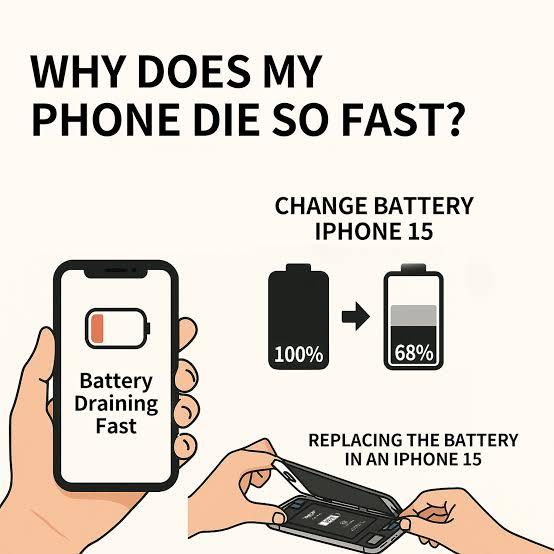
9. Your Battery May Simply Be Aging
Smartphone batteries don't remain at their original capacity forever.
Rechargeable batteries gradually lose capacity as they age and go through charging cycles.
That means a phone that once comfortably lasted all day may eventually need to be charged more frequently.
How can you tell?
Look at your phone's battery-health information if your device provides it.
For example, iPhones provide a Battery Health & Charging section where users can view battery health information.
Some Android manufacturers provide similar information, although the exact feature depends on the device.
Signs that the battery may be aging include:
The phone doesn't last as long as it used to.
Battery percentage falls unusually quickly.
The phone shuts down unexpectedly.
The battery behaves inconsistently.
The device reports reduced battery health, where supported.
If you strongly suspect the physical battery is failing, consider having it inspected by a qualified repair professional rather than attempting to replace it yourself.
---
7 Simple Changes That Can Help Your Battery Last Longer
If you want a quick checklist, start here:
1. Reduce unnecessary screen brightness
Use a comfortable brightness level rather than maximum brightness all day.
2. Turn off connectivity you aren't using
If you don't need Bluetooth, location, or other connections temporarily, consider turning them off where appropriate.
3. Review battery-hungry apps
Find out which applications are consuming the most power.
4. Reduce unnecessary notifications
Constant notifications can wake your screen and cause additional activity.
5. Avoid unnecessary background activity
Restrict apps that don't need to constantly refresh.
6. Keep your phone away from extreme heat
High temperatures can negatively affect battery performance and longevity.
7. Use Battery Saver when necessary
Most modern smartphones include a battery-saving mode that can reduce background activity and other power-consuming functions.
---
What You Shouldn't Do to “Save” Your Battery
There's a lot of outdated battery advice online.
Avoid blindly following tips such as:
“Close every app every few minutes.”
You don't necessarily need to constantly force-close applications. Modern smartphone operating systems are designed to manage applications and resources themselves.
Also avoid:
“Always let your battery reach 0% before charging.”
Modern rechargeable batteries don't require you to completely drain them before every charge.
The better approach is to follow the charging and battery-management guidance provided for your particular device.
---
A Quick Battery-Diagnosis Checklist
If your battery suddenly starts draining much faster than normal, go through these questions:
Question 1:
Did I install a new app recently?
If yes, check its battery usage.
Question 2:
Is my phone getting unusually hot?
If yes, stop demanding tasks and allow it to cool.
Question 3:
Is the mobile signal very weak?
If yes, network activity could be contributing.
Question 4:
Is my screen brightness very high?
Reduce it to a comfortable level.
Question 5:
Which apps are using the most battery?
Check your battery settings.
Question 6:
Has the battery become noticeably worse over time?
If yes, battery aging may be a factor.
Question 7:
Did the problem start after a software update?
Give the phone some time, check for app updates, and monitor the battery usage.
---
Frequently Asked Questions
Why does my phone lose battery even when I'm not using it?
Your phone may still perform background tasks while the screen is off. Apps can synchronize information, receive notifications, use location services, or perform other operations.
Check your battery-usage screen to identify which apps are consuming power.
Does dark mode save battery?
It can reduce power consumption on phones with certain display technologies, particularly OLED-type displays, but the amount of savings varies depending on the device, brightness and what you're doing.
Don't expect dark mode alone to solve severe battery drain.
Does turning off Wi-Fi save battery?
It depends on the situation. Wi-Fi itself isn't necessarily something you need to keep disabled all the time. If you're not using it and your phone is repeatedly searching for networks, disabling it temporarily may reduce some activity.
Why does my battery drain faster when I'm outside?
Outdoor use can involve higher screen brightness, stronger environmental temperatures, GPS use, and potentially weaker cellular reception. Several of these factors can increase power consumption.
Should I replace my battery if it drains quickly?
Not immediately. First determine whether an app, network conditions, screen brightness, background activity, temperature, or another factor is responsible.
If the battery is old and battery-health information indicates significant degradation, professional battery replacement may be worth considering.
---
Final Thoughts
A phone battery that drains quickly doesn't always mean that the battery itself is bad.
The first step is to find the cause instead of changing random settings.
Check your battery-usage information, identify power-hungry apps, manage background activity, reduce unnecessary screen brightness, pay attention to network conditions, and keep the phone away from excessive heat.
If the problem continues despite these steps—and especially if the battery has become noticeably worse over time—then the battery itself may be aging.
A few minutes spent investigating the problem can often tell you whether you're dealing with a settings issue, an app issue, heavy usage, environmental conditions, or an aging battery.

Leave a comment
Your email address will not be published. Required fields are marked *