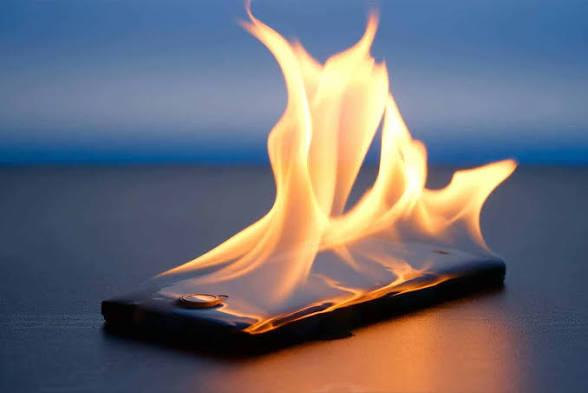
Have you ever picked up your phone and noticed that it feels much hotter than usual?
A slightly warm phone isn't necessarily a problem. Smartphones naturally produce heat while charging, gaming, recording videos, using navigation, or performing other demanding tasks.
However, a phone that becomes unusually hot, stays hot for a long time, or gets hot during light use deserves attention.
Excessive heat can make your phone uncomfortable to hold, cause performance problems, drain the battery faster, and over time may contribute to battery degradation.
The important thing is not to panic. Instead, try to determine why the phone is getting hot and take appropriate steps to reduce the workload.
---
How Hot Is Too Hot?
There isn't one temperature that applies to every smartphone in every situation.
A phone can become warm during normal activities such as:
Charging
Gaming
Video calls
Camera use
Navigation
Video editing
Streaming
Downloading large files
The important warning signs are when the phone becomes unusually hot, particularly when you're barely using it.
Pay extra attention if you notice:
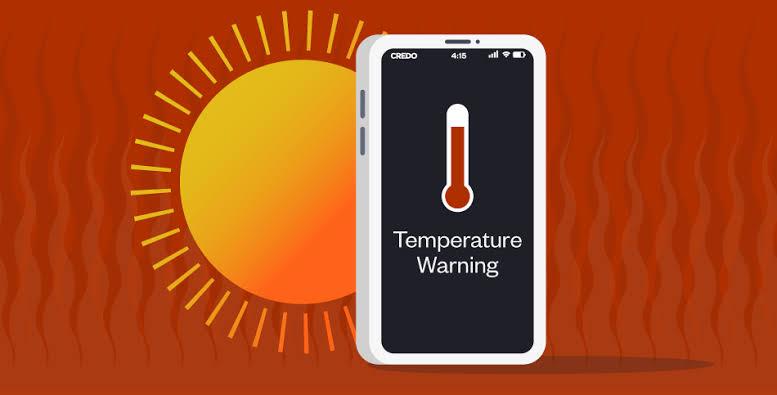
A temperature warning
Very rapid battery drain
Apps becoming extremely slow
The screen becoming unusually dim
The phone shutting down unexpectedly
The device remaining hot after you stop using it
A swollen or physically damaged battery
If you notice a swollen battery or other physical battery damage, stop using the device and seek professional assistance.
---
1. You're Running Demanding Apps
One of the most common reasons for a warm phone is simply heavy usage.
Activities such as gaming can place significant demands on the phone's processor and graphics hardware.
Other demanding activities include:
Video editing
3D games
Long video recordings
Video calls
Augmented-reality applications
High-resolution streaming
Navigation
The more work your phone performs, the more energy it uses, and some of that energy is released as heat.
What you can do
If your phone becomes very warm during demanding use:
1. Stop the activity for a while.
2. Close the particular application if it's frozen or malfunctioning.
3. Move the phone away from direct sunlight.
4. Allow it to cool naturally.
You don't need to assume that every warm phone has a hardware problem.
---
2. You're Using Your Phone While Charging
Charging naturally produces some heat.
Using the phone heavily at the same time can increase the workload while the battery is also receiving power.
For example, playing a demanding game while charging can make the device significantly warmer than simply leaving it idle while charging.
A better approach
If your phone becomes noticeably hot while charging, avoid intensive activities until charging is complete.
Instead of:
Charging + gaming + high screen brightness
try:
Charging + minimal use
This can reduce the amount of heat your phone needs to manage.
---
3. Your Phone Is Exposed to Direct Sunlight
The environment around your phone matters.
Leaving your smartphone:
On a car dashboard
Near a sunny window
Outdoors under direct sunlight
On a hot surface
can cause its temperature to rise quickly.
The phone is already producing some heat internally, and the surrounding environment makes it harder to release that heat.
What to do
Move the phone to a:
cool, shaded and well-ventilated location.
Avoid covering it with clothing, blankets, or other materials while it's hot.
---
4. Poor Network Signal Can Increase Phone Activity
Your phone constantly communicates with the mobile network.
When reception is poor, the device may have to work harder to maintain connectivity.
This can happen in:
Remote areas
Underground spaces
Large buildings
Elevators
Areas with weak network coverage
If your phone becomes warm in a location where the network signal is extremely poor, connectivity may be one factor.
What can help?
If you don't need cellular connectivity temporarily and your circumstances allow it, Airplane Mode can stop the phone from repeatedly searching for a network.
Once you're somewhere with better reception, you can restore your normal connectivity.
---
5. An App May Be Running in the Background
Sometimes your phone gets hot even though you're not actively using it.
A poorly behaved application may continue performing tasks in the background.
For example, an app might be:
Synchronizing data
Uploading files
Processing photos
Using location services
Downloading content
Repeatedly attempting to connect to a server
How to investigate
Open your phone's battery-usage section and look for apps that have unusually high activity.
If one app stands out, check whether:
An update is available.
You actually need the app.
Its background permissions can be reduced.
Restarting the app solves the problem.
If the issue began after installing a particular application, that is another useful clue.
---
6. Your Screen Brightness Is Extremely High
Your display produces heat and consumes power.
Keeping brightness at maximum for long periods can increase energy consumption.
This becomes even more noticeable when combined with:
Gaming
Video streaming
Camera use
Hot weather
Try this
Reduce the brightness to a comfortable level.
If your phone supports automatic or adaptive brightness, you can also use it.
You don't need to make the screen difficult to see. The goal is simply to avoid unnecessarily high brightness.
---
7. Your Phone Is Performing a Large Download or Upload
Large amounts of data transfer can sometimes increase activity and heat.
For example:
Backing up thousands of photographs
Downloading a large game
Updating several applications
Uploading videos
Restoring a phone from a backup
can temporarily increase the workload.
If your phone becomes warm during one of these processes and cools down afterward, that may be normal.
What if it stays hot?
If the device remains unusually hot long after the transfer has finished, investigate other possible causes.
---
8. Your Phone Software or an App May Have a Problem
Software bugs can sometimes cause an application or system process to behave unexpectedly.
For example, an app could repeatedly crash and restart in the background.
If your phone suddenly starts getting hot after an application update, pay attention to whether that app is also appearing near the top of your battery-usage list.
Try these basic steps
Step 1: Restart the phone.
Step 2: Check for app updates.
Step 3: Check for system updates.
Step 4: Check battery usage.
Step 5: If one particular app is clearly responsible, investigate its settings or consider removing it if you don't need it.
Don't immediately perform a factory reset because of one overheating incident.
---
9. Your Battery May Be Aging or Damaged
Smartphone batteries naturally age.
As a rechargeable battery gets older, its capacity and performance can change.
An aging battery may be accompanied by:
Shorter battery life
Unexpected shutdowns
Rapid percentage changes
Increased warmth
Poor charging behavior
However, heat alone doesn't prove that the battery is defective.
If you suspect a battery problem, particularly if the phone is physically swollen or damaged, have it examined by a qualified professional.
Never try to puncture or open a swollen battery yourself.
Damaged lithium-ion batteries can present serious safety risks.
---
10. Your Phone Case May Be Trapping Some Heat
A phone case normally isn't a problem.
But if your phone is already under heavy thermal load, a thick case may make it harder for heat to escape.
If you notice that your phone becomes particularly warm during demanding tasks, you can temporarily remove the case while the phone cools, provided doing so is safe and practical.
Don't place the hot phone on an unsafe surface just because you're trying to cool it.
---
What Should You Do When Your Phone Gets Very Hot?
If your phone suddenly becomes much hotter than normal, follow these steps.
Step 1: Stop intensive activity
Stop gaming, video recording, video editing, or other demanding tasks.
Step 2: Disconnect unnecessary accessories
If appropriate, disconnect accessories that aren't needed.
Step 3: Move it away from heat
Take it away from direct sunlight or other hot environments.
Step 4: Stop charging if it is unusually hot
If the phone becomes excessively hot while charging, unplug it and allow it to cool.
Step 5: Let it cool naturally
Place it somewhere cool, dry and ventilated.
Step 6: Check battery usage afterward
Once the phone has returned to a normal temperature, investigate which applications were using the most battery.
---
Don't Put Your Hot Phone in a Freezer
You may see people online recommending putting an overheating phone inside a refrigerator or freezer.
Don't do this.
Extreme cooling can create other problems, including condensation.
Instead, allow the device to cool naturally in a safe environment.
The goal is gradual cooling, not an extreme temperature change.
---
How to Prevent Your Phone From Overheating
You can't prevent your phone from ever becoming warm.
Instead, reduce unnecessary heat.
Good habits include:
✔ Avoid prolonged intensive use in direct sunlight
✔ Don't perform demanding tasks while charging if the phone becomes very hot
✔ Keep unnecessary background activity under control
✔ Keep your apps and operating system reasonably updated
✔ Avoid leaving your phone inside a hot vehicle
✔ Reduce excessive screen brightness
✔ Give the phone a break after long gaming sessions
✔ Don't cover a hot phone with blankets or clothing
✔ Use appropriate charging equipment
---
What About Cheap Chargers?
Charging equipment matters.
Use a charger and cable that are appropriate for your device and from a trustworthy source.
A poor-quality or damaged charging accessory can cause charging problems and may create unnecessary safety risks.
If your phone repeatedly becomes unusually hot whenever you use a particular charger or cable, stop using that accessory and investigate the issue.
Don't continue using visibly damaged cables.
---
Why Does My Phone Get Hot While Gaming?
Gaming can place a heavy workload on your phone.
The processor, graphics hardware, display and network connection may all be working simultaneously.
The longer you play, the more heat can build up.
To reduce heat during gaming:
Lower graphics settings where possible.
Reduce screen brightness.
Take breaks during long sessions.
Avoid playing in direct sunlight.
Avoid heavy gaming while charging if the phone becomes very hot.
Close a problematic game if it appears to be malfunctioning.
A warm phone during intensive gaming isn't automatically a sign of damage.
---
Why Does My Phone Get Hot When I'm Not Using It?
This is more worth investigating.
Possible causes include:
Background applications
Poor network reception
Synchronization
Large uploads/downloads
A software problem
A malfunctioning application
Charging
Battery problems
Start by checking battery usage.
If one application is consuming an unusually high amount of power while you're barely using the phone, investigate that app first.
---
A Simple Overheating Troubleshooting Checklist
If your phone is suddenly getting hot, ask yourself:
1. Am I doing something demanding?
Gaming? Video editing? Recording?
If yes, stop and let it cool.
2. Is it charging?
If yes and the phone is unusually hot, stop charging temporarily.
3. Is the phone in direct sunlight?
Move it to a shaded environment.
4. Is the network signal poor?
Network searching could be contributing.
5. Did I install or update an app recently?
Check battery usage.
6. Is the battery old or behaving strangely?
Consider professional inspection.
7. Is the phone physically damaged or swollen?
Stop using it and seek professional assistance.
---
Frequently Asked Questions
Is it normal for a phone to get warm?
Yes. Smartphones naturally produce heat during activities such as charging, gaming, video recording, navigation and other demanding tasks.
The concern is when the phone becomes unusually hot or stays hot during light use.
Does overheating damage a phone?
Repeated exposure to excessive heat can negatively affect components and battery longevity. This is why manufacturers include thermal-management systems and warnings on many devices.
Why does my phone get hot while charging?
Charging naturally generates some heat. Heavy use during charging can increase the workload and therefore increase heat.
Should I turn off my phone if it gets hot?
If the phone is unusually hot and normal troubleshooting isn't helping, shutting it down can reduce its workload and allow it to cool. If there is a temperature warning or suspected battery damage, follow the device manufacturer's safety instructions.
Can a phone case make my phone overheat?
A case normally isn't enough to cause serious overheating by itself. However, when a phone is already under heavy thermal load, a case can affect how easily heat dissipates.
Why does my phone heat up when the signal is weak?
A phone may use additional power while working to maintain communication with a weak cellular network. The exact effect depends on the device and network conditions.
---
Final Thoughts
A warm smartphone isn't automatically a damaged smartphone.
Your phone can naturally become warm when you're gaming, charging, navigating, recording videos, downloading large files, or performing other demanding tasks.
The important distinction is between normal warmth and unusual or persistent heat.
If your phone gets hot, start by reducing its workload. Move it away from direct sunlight, stop intensive activities, check battery usage, investigate suspicious applications, and allow the device to cool naturally.
And remember: never use extreme cooling methods such as placing a hot phone in a freezer.
If overheating continues during light use, or you notice a swollen battery, unexpected shutdowns, physical damage, or other serious symptoms, don't keep experimenting with random fixes. Get the device checked by a qualified professional.
A little heat during heavy use can be normal. Persistent excessive heat is a signal worth investigating.

Leave a comment
Your email address will not be published. Required fields are marked *